ui-craft
Make your next mobile UI
feel like a shipped app.
Your agent can write the screen. UI-craft gives it a repeatable way to judge the details: spacing, hierarchy, actions, and motion.
Get the skill View the source on GitHubSee the difference.
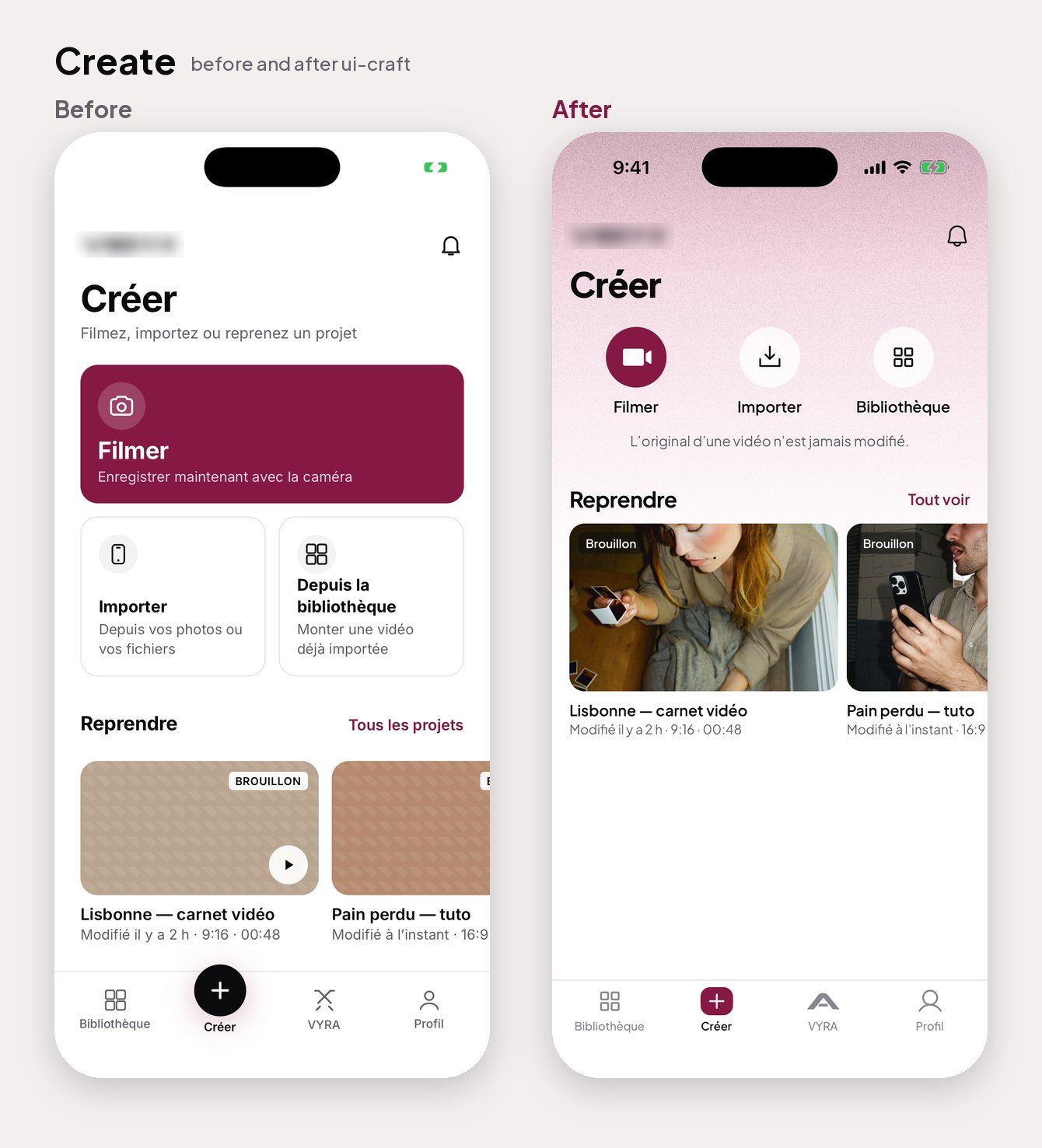
Less guesswork.
A better design loop.
UI-craft is a set of instructions your coding agent reads before it builds or reviews a mobile screen. It works alongside your project’s own design system.
- Start with references. Look at the right screen patterns before making layout decisions.
- Make concrete choices. Use measured spacing, button sizes, type scales, and clear actions.
- Review the actual screen. Capture the result, find the biggest issues, and improve shared components first.
Made for React Native, Expo, SwiftUI, Flutter, and mobile web. The examples show one app’s redesign and review process, not a promise of identical results.
Your agent.
A little more craft.
Choose your tool, install the skill, then give it a real screen to work with.
Full setup & requirementsgit clone https://github.com/Achref23illi/ui-craft ~/.claude/skills/ui-craftRun in your terminal. If the destination already exists, follow the repository’s update instructions.
No extra project file needed.
Open Claude Code in your app’s repository and mention ui-craft in your request.
Use ui-craft to review the mobile screens in ./shots. Follow the reference workflow, respect the project’s design tokens, and identify the most important improvements with measurements. Fix the shared components first, then capture the result and review it again.
Replace ./shots with your screenshot folder. The helper scripts require Python 3.9+; contact sheets also require Pillow.
Let the content breathe.
Smaller source actions leave space for real projects. The screen feels useful before you tap anything.